
Install the TradeApes app
Add TradeApes straight to your home screen — it opens full-screen and works just like a normal app. No App Store, no Play Store.
✓ Free · about 30 seconds · works on any modern phone
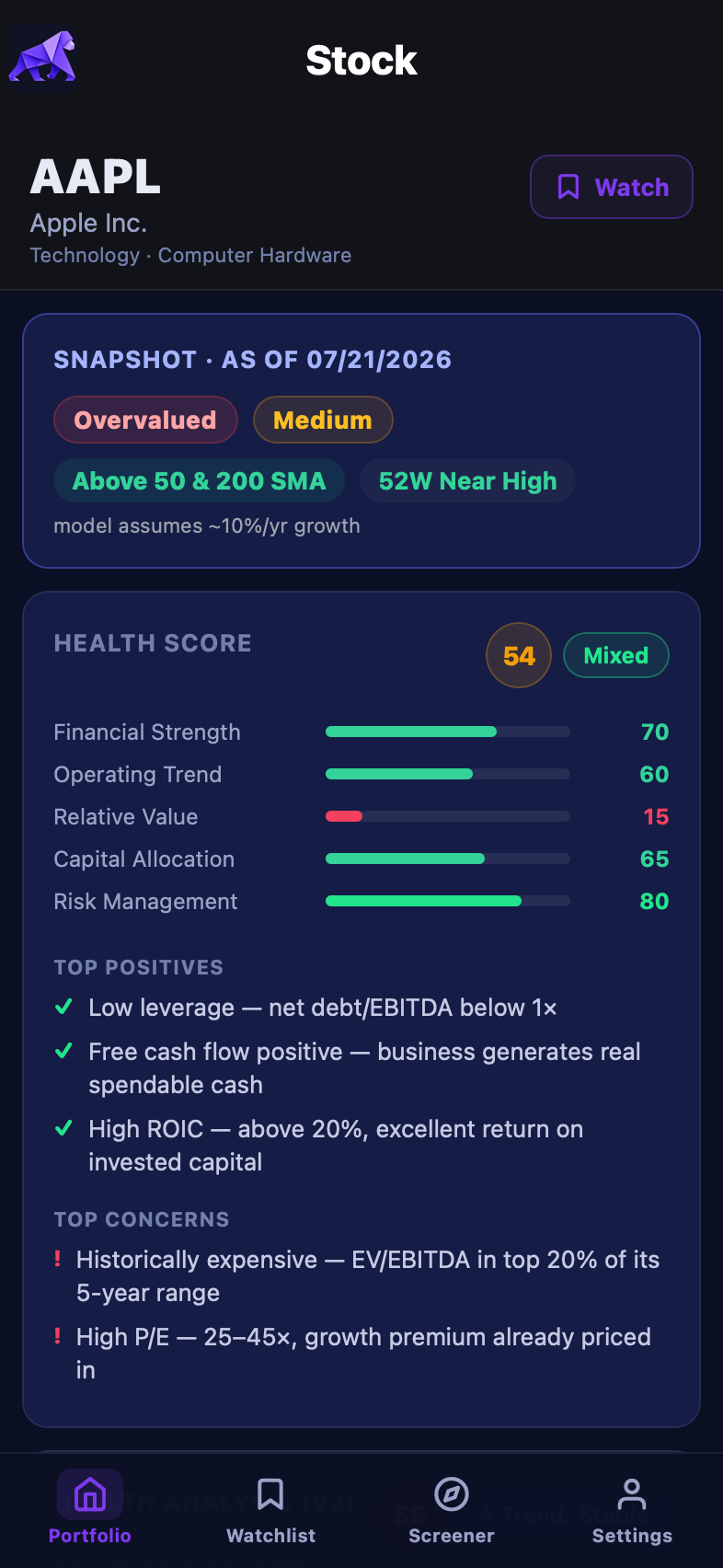
This is what you get — your portfolio, watchlist, and our full stock analysis (health scores, fair-value verdicts, and more), one tap away on your home screen.
You install it directly from your phone's browser. Nothing to download from an app store.
📱 iPhone & iPad
Using Safari (this only works in Safari on iOS).
On iPhone/iPad you must use Safari. Chrome, Firefox, and Edge on iOS can't add apps to the home screen — Apple only allows it from Safari.
1
Open Safari and go to app.tradeapes.com
2
Tap the Share button in the toolbar (bottom of the screen on iPhone, top-right on iPad).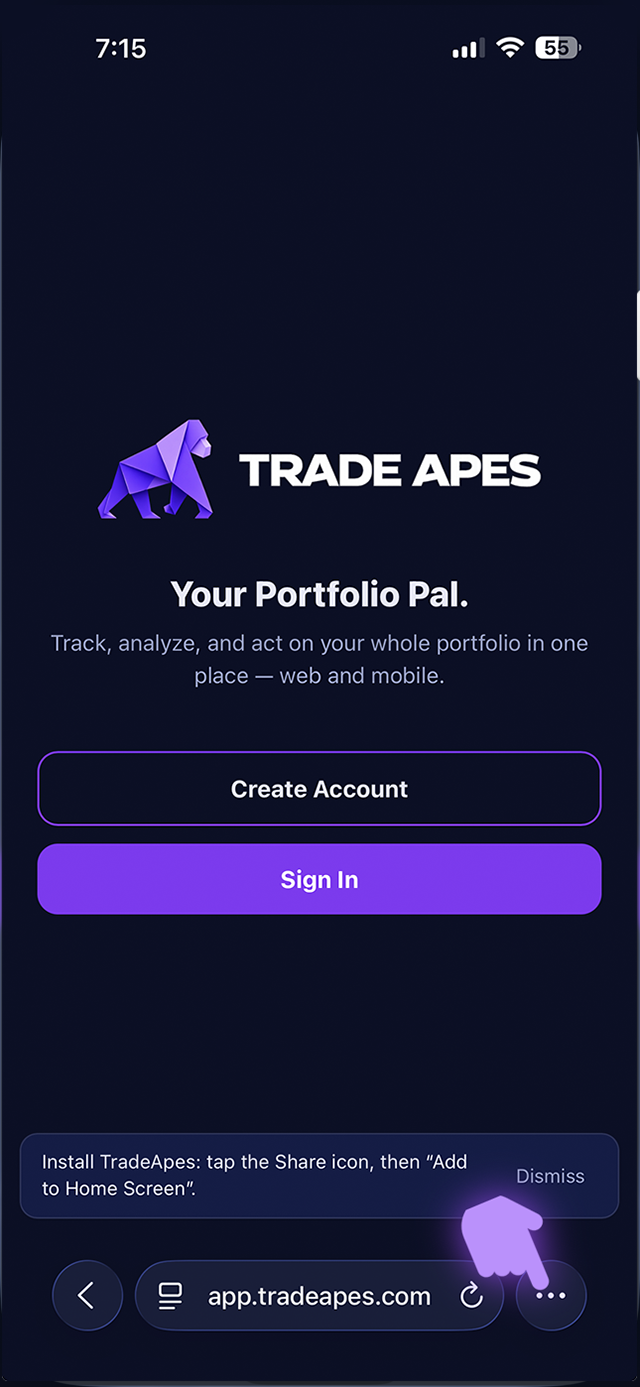
3
Scroll down the list and tap Add to Home Screen 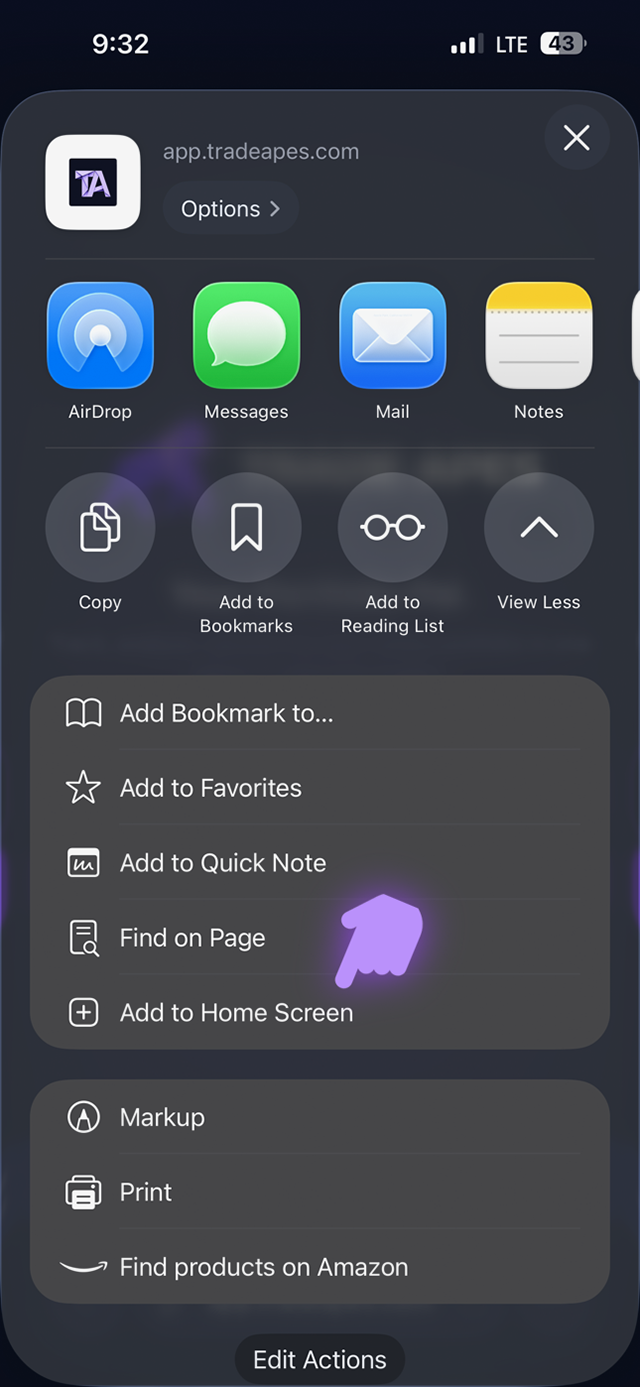
4
Leave Open as Web App turned ON, then tap Add in the top-right.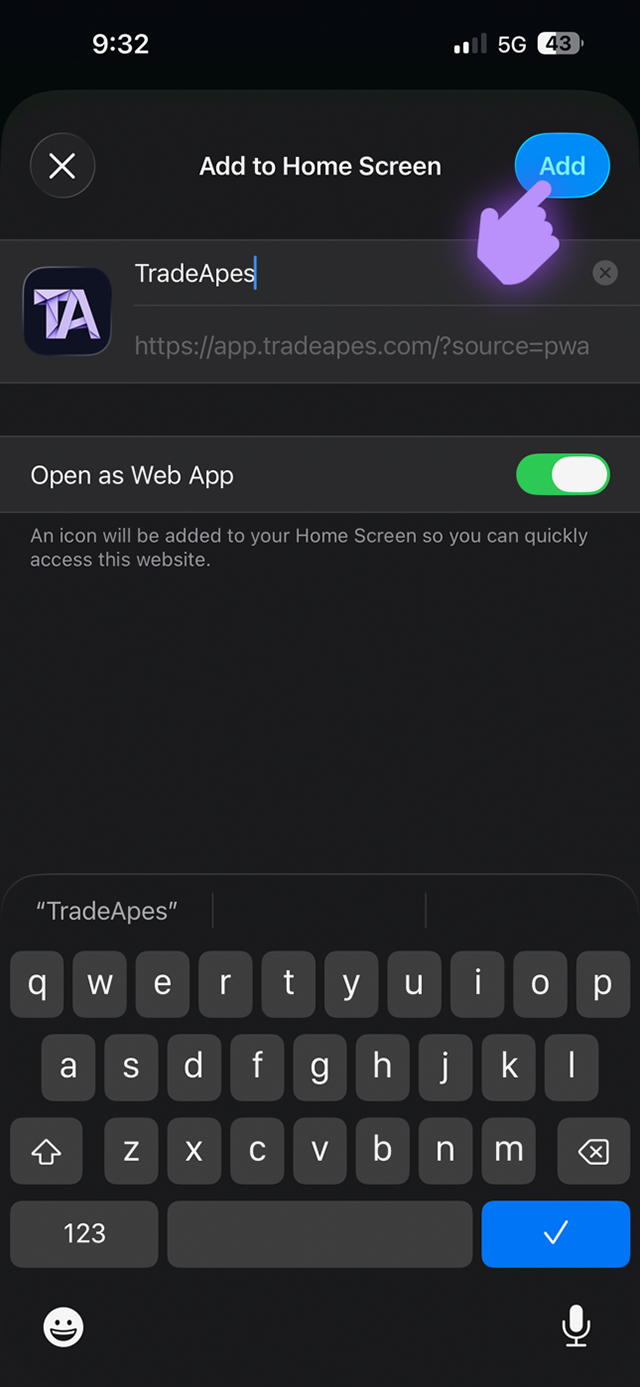
5
Open TradeApes from your home screen and sign in. You'll stay signed in.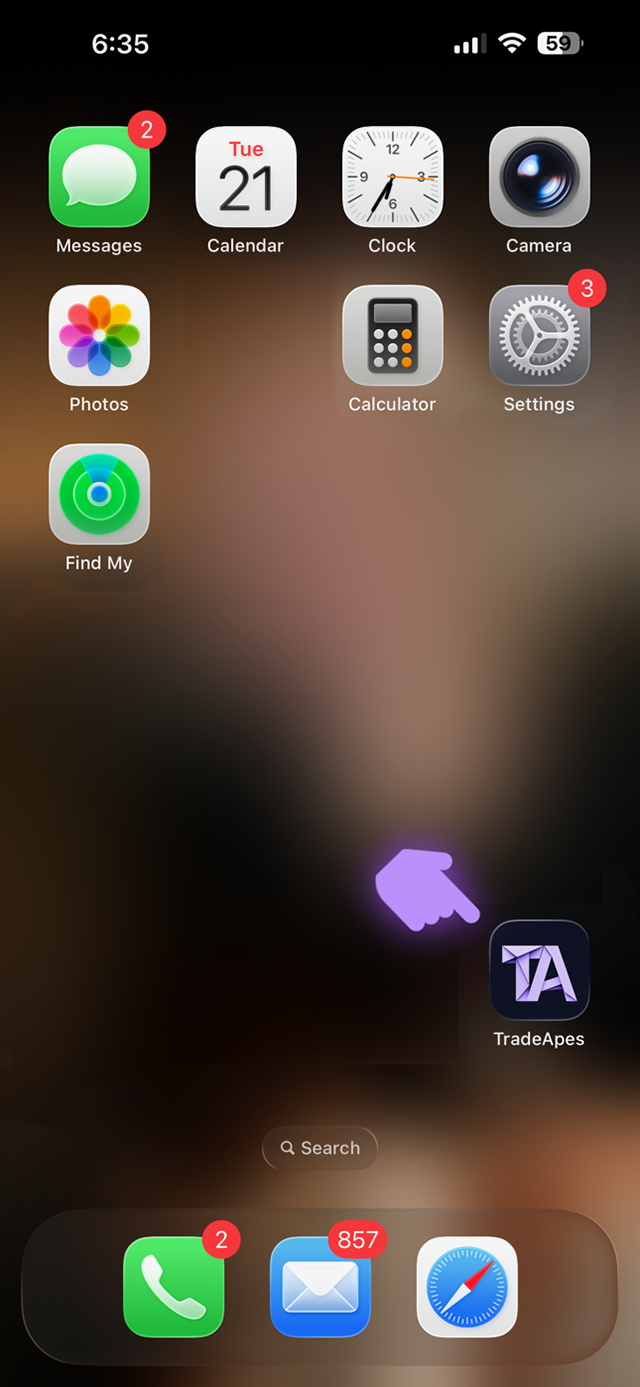
🤖 Android
Using Chrome (the steps are nearly identical in Edge, Firefox, and Samsung Internet).
1
Open Chrome and go to app.tradeapes.com
2
Tap the menu in the top-right corner, then tap Install app (on some phones it says Add to Home screen).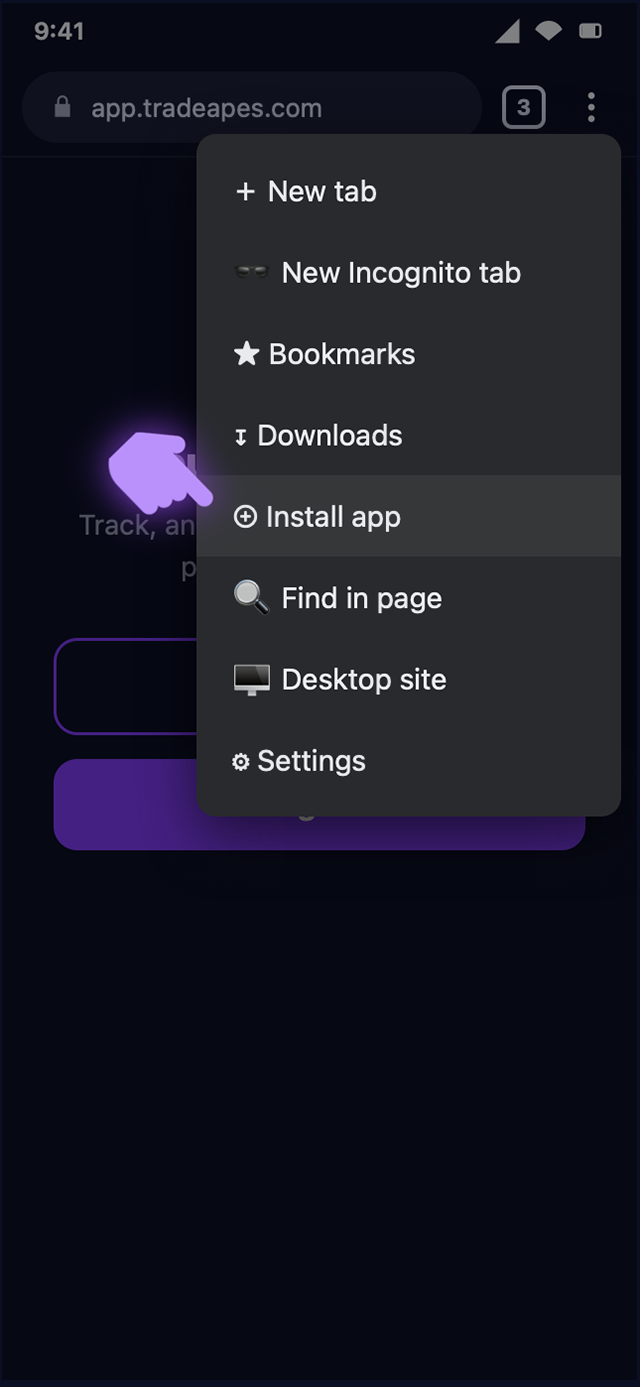
3
Tap Install (or Add) to confirm.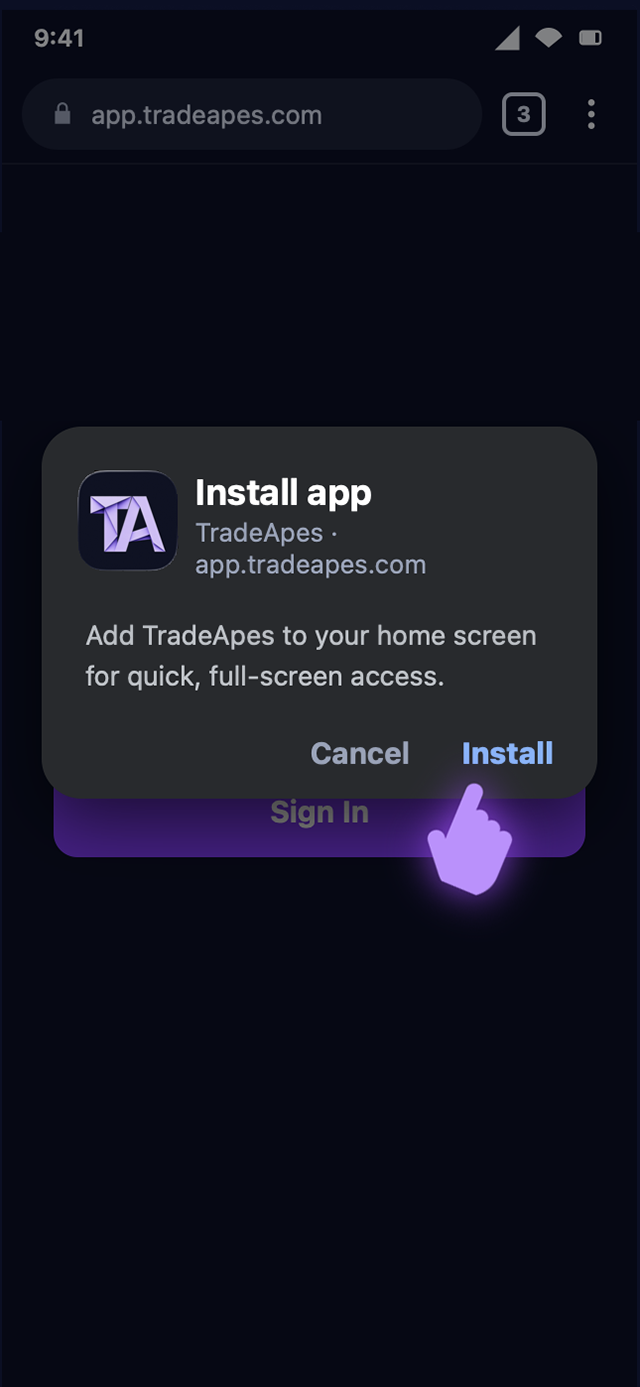
4
Open TradeApes from your home screen or app drawer and sign in.
Other browsers & devices
- Microsoft Edge (Android): Menu (…) → Add to phone.
- Samsung Internet: Menu (☰) → Add page to → Home screen.
- Firefox (Android): Menu (⋮) → Install or Add to Home screen.
- Chrome / Firefox / Edge on iPhone: not supported — switch to Safari and follow the iPhone steps above.
- Desktop (Chrome or Edge): click the install icon in the address bar, or Menu → Install TradeApes.
Not seeing the option? Make sure you opened the link in a real browser (Safari or Chrome) — not an in-app browser inside Instagram, Messages, or an email. If you're in one of those, tap “Open in Safari / Chrome” first, then follow the steps.
Updates are automatic. When we ship improvements, just reopen the app — you'll get the latest version and stay signed in. No reinstalling.
Updates are automatic. When we ship improvements, just reopen the app — you'll get the latest version and stay signed in. No reinstalling.
Sign up for our Weekly Sector Leaders Newsletter
11 sector-leading stocks delivered to your inbox every Sunday. Free.
No spam. Unsubscribe anytime.